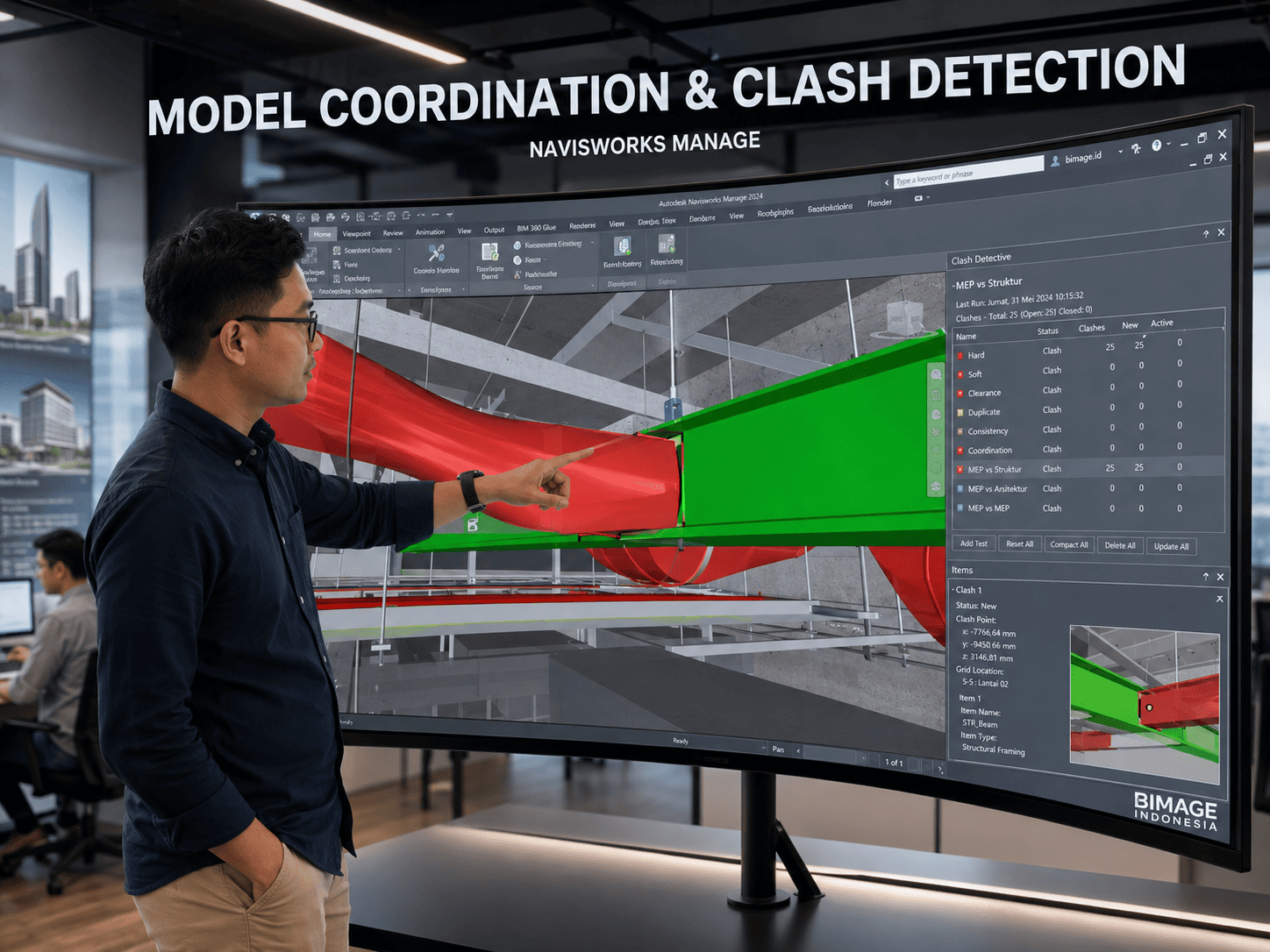
What Is Navisworks?
Autodesk Navisworks aggregates models from multiple sources, supports federated-model review, and enables coordination workflows. Clash Detective for interference detection and management is available in Navisworks Manage, so edition selection should follow project needs.
A clash run that only produces thousands of findings does not create value. Teams must turn intersections into grouped, prioritized, assigned, reviewed, and closed issues within source models.
Why This Matters for Projects
Mismatched model versions, unstable selection sets, unagreed tolerances, and unclear ownership can make clash reports obsolete quickly. Navisworks should sit within the project's exchange cycle and coordination governance.
For the Indonesian market, implementation should account for different levels of digital capability across stakeholders, layered approval processes, tender requirements, and projects that still receive a mix of models, DWG, PDF, spreadsheets, and vendor data. The implementation objective therefore needs to become an executable workflow rather than stopping at a software demonstration.
Key Decisions and Components
Federated model. Discipline models are aggregated for review while source ownership remains intact. Filenames, coordinates, units, and versions must be consistent so teams compare the correct data.
Clash matrix. Test rules should follow discipline pairs, areas, clash types, tolerances, and phases. A matrix prevents random tests and keeps the team focused on relevant risks.
Grouping and prioritization. Many geometric clashes can originate from one design issue. Grouping by system, level, zone, or primary element makes the issue register more actionable.
Close-out. A resolved meeting status should be verified through a source-model update and rerun. Snapshots, comments, assignees, and version history support decision audits.
Implementation Workflow
The following sequence can serve as a baseline. Final details should follow contracts, phases, risk profiles, and project roles:
- Set exchange dates, naming, coordinates, and model-readiness checks.
- Build a federated model and selection sets from stable properties.
- Run an agreed clash matrix and filter irrelevant findings.
- Group issues, assign owners, set due dates, and review decisions.
- Update source models, rerun tests, and publish a close-out report.
Each stage should produce reviewable evidence such as standards, model versions, decision logs, issue registers, approved outputs, or acceptance records. Teams can then assess progress through information and decision quality rather than activity alone.
Project Use Cases
- Federating architectural, structural, and MEP models.
- Reviewing hard clashes, clearances, and constructability by zone.
- Simulating sequences through TimeLiner when models and schedules are ready.
The first use case should be small enough to control but real enough to test data, roles, approvals, and outputs. An overly simple pilot often fails to reveal genuine implementation barriers.
Readiness Checklist
- Source models and versions are recorded for every clash run.
- Selection sets remain reusable after model updates.
- Issue owners and due dates are visible in the register.
- Close-out is verified through reruns rather than manual status alone.
If most criteria are not yet met, do not expand the scope immediately. Prioritize standards, ownership, and the pilot until teams can produce consistent outputs.
The Role of BIMAGE Indonesia
BIMAGE Indonesia can establish Navisworks coordination standards, clash matrices, federation, issue workflows, and coordinator training. As an Autodesk Gold Partner + ACC Elite, BIMAGE can connect desktop Navisworks processes with Model Coordination and issue management in Autodesk Construction Cloud.
The engagement can start with discovery and assessment so recommendations reflect project conditions, internal capability, and business objectives. Final scope, schedule, and deliverables are defined after requirements are verified.
Mistakes to Avoid
- Selecting Navisworks Simulate when the project requires Clash Detective, which is available in Manage.
- Measuring success by the number of clashes found.
- Building manual selection sets that break after updates.
These issues are rarely software problems alone. Their root causes usually involve scope, data, responsibilities, reviews, or uncontrolled changes. Corrective action should address both the process and tool configuration.
Next Step
If your team is evaluating Navisworks, start by mapping the current condition, target deliverables, stakeholders, and implementation risks. BIMAGE Indonesia can support an initial consultation with us to assess readiness, select a pilot, and develop a roadmap aligned with project priorities.
Frequently Asked Questions (FAQ)
What is the difference between Navisworks Manage and Simulate?
Both support model review and aggregation, but Clash Detective for clash detection is available in Navisworks Manage.
Does Navisworks modify the Revit model?
Navisworks supports aggregation and review. Design corrections remain in the source authoring model and are then reloaded.
What coordination outputs matter?
A federated model, clash matrix, issue register, assignments, decision records, and a close-out report.
How often should clash runs occur?
Follow model-exchange cycles and milestones. Frequency should support decisions, while models must pass readiness checks.
Related Articles
- BIM in Construction
- Autodesk BIM Software: The Complete Ecosystem